The Missing Right Side of Your dbt DAG
If you maintain a dbt project long enough, you end up with a familiar problem: you can see what’s upstream of a model, but it is surprisingly hard to answer what is downstream in the real world. Which

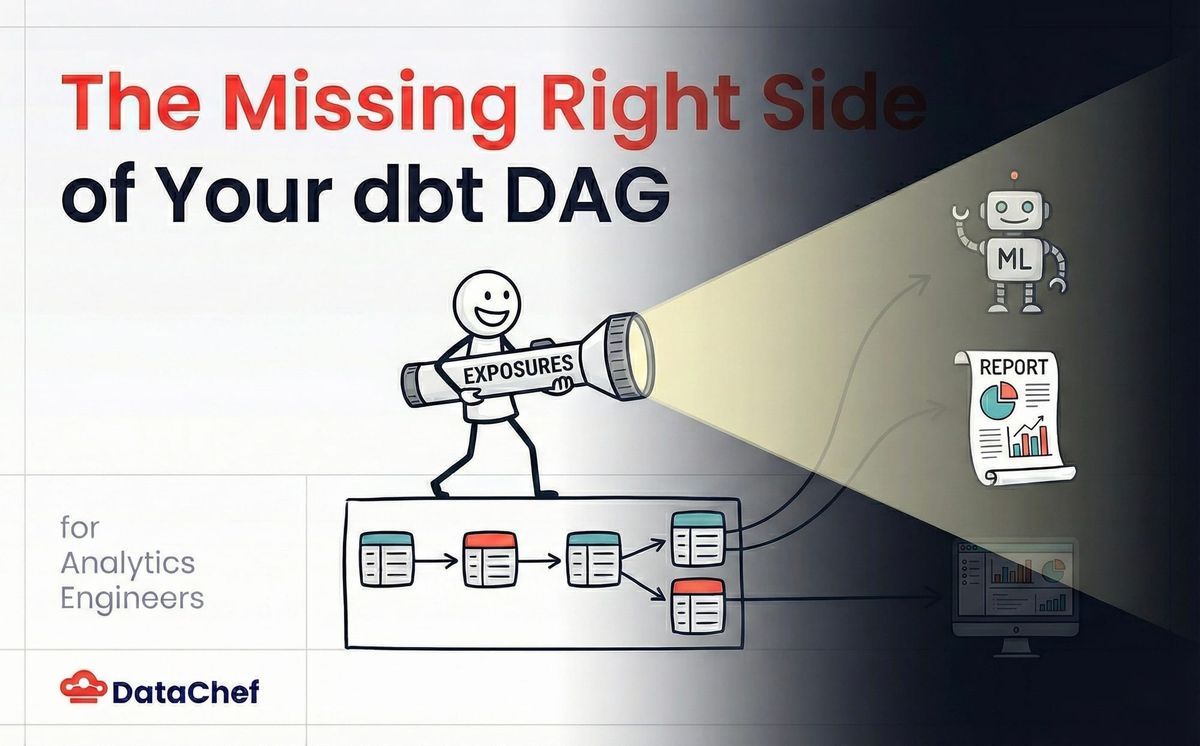
If you maintain a dbt project long enough, you end up with a familiar problem: you can see what’s upstream of a model, but it is surprisingly hard to answer what is downstream in the real world. Which dashboards, reports, ML jobs, or extracts depend on this thing, and who owns them? That uncertainty makes refactors risky, and it makes the impact of data incidents much harder to assess quickly.
dbt exposures are a lightweight way to document those consumers as code, right next to the models and sources they depend on. They turn “tribal knowledge” into something reviewable, queryable, and much harder to accidentally forget.
Why does “docs outside the repo” drift
Those who have worked with me might know that I take a very careful approach when it comes to documentation, especially when it is decoupled from the codebase. Reasons include:
When someone is reading a piece of code, they might not think of looking elsewhere (Confluence, SharePoint) for extra insight.
You can be certain that shortly after the documentation is published, it will become outdated because code contributors forgot or did not prioritize documentation updates.
On the other hand, providing context about logic someone went through the trouble to implement provides enormous value. In the case of dbt models: why do we have a model? Who or what consumes it? What are the consequences if it breaks, or if we remove or alter it? Who should we reach out to before we clean up a legacy model?
An intermediate model (i.e. which is upstream of another model) has an obvious purpose. Its usage is self-documented: just look at its children models. But what about all the models dangling at the far right end of the DAG in your dbt project?
Most users are aware that models and data sources can be enriched with documentation and descriptions. But dbt also offers a powerful way to document the usage of models as code. This feature may not be well known, so in this post I will explain it and (hopefully) convince more dbt practitioners to adopt it.
Defining exposures in YAML
In your dbt project, you can add one or more YAML files that declare exposures. Let’s first look at how to do it (slightly modified example from the [official documentation](https://docs.getdbt.com/docs/build/exposures)):
exposures:

  - name: weekly_jaffle_metrics
    label: Jaffles by the Week
    type: dashboard
    maturity: high
    url: https://bi.tool/dashboards/1
    description: >
      Did someone say "exponential growth"?

    depends_on:
      - ref('fct_orders')
      - ref('dim_customers')

    owner:
      name: Callum McData
      email: data@jaffleshop.com
Once you add exposures and generate docs dbt docs generate), they appear as first-class entities in the dbt documentation website: you can browse them, see their descriptions, owners, and links (for example, to the dashboard), and navigate their lineage to the upstream models and sources they depend on. In other words, they show up alongside models and sources in the docs UI, instead of living in a separate wiki.
Keeping documentation from drifting
An advantage of dbt exposures over, for example, a Confluence page is that they live close to the code. If a developer comes across a model, they can find the exposure easily because it sits in the same repository as the models. Thanks to this proximity alone, it is less likely to go out of sync. But another characteristic of exposures makes them even less likely to drift away from reality:
If a model referenced by an exposure (in this case fct_orders or dim_customers) is deleted or renamed, the dbt project won't be able to compile:
% dbt test

Encountered an error:

Compilation Error

Exposure 'exposure.weekly_jaffle_metrics' (models/exposures.yml) depends on a node named 'fct_orders' which was not found
This way, the contributor will be alerted that this model is being used and that care should be taken before going ahead with the change. This is because exposures are nodes in the graph of the dbt project, just like models and sources. If you reference a missing node, the project can’t compile.
So far, this probably sounds like exposures “solve” the problem. They help a lot, but they are not a silver bullet.
Limitations (and what exposures are not)
Exposures are useful, but it helps to be explicit about their limits:
They do not catch all breaking changes. A column rename or semantic logic change can still break a dashboard even if the exposure compiles.
They document known consumers. The absence of an exposure does not prove that a model is unused. It may simply mean the consumer has not been documented yet.
In other words, the developer’s vigilance is still required. In the next sections, I will show how exposures augment that vigilance by letting you query the graph for impact analysis (starting from an upstream model or source) and for investigations that start from a consumer (like a dashboard).
Impact analysis: find downstream consumers
If a source or model with many nodes downstream has an issue, or needs to be modified, we can query the dbt project’s graph to find all exposures downstream of that node, and therefore potentially affected. This gives you the impact of a change, plus a list of consumers and contact people to reach out to.
Let’s say the raw_payments source table (here a seed) has an issue, a raw_payments+ query shows the whole lineage down to the affected exposures:
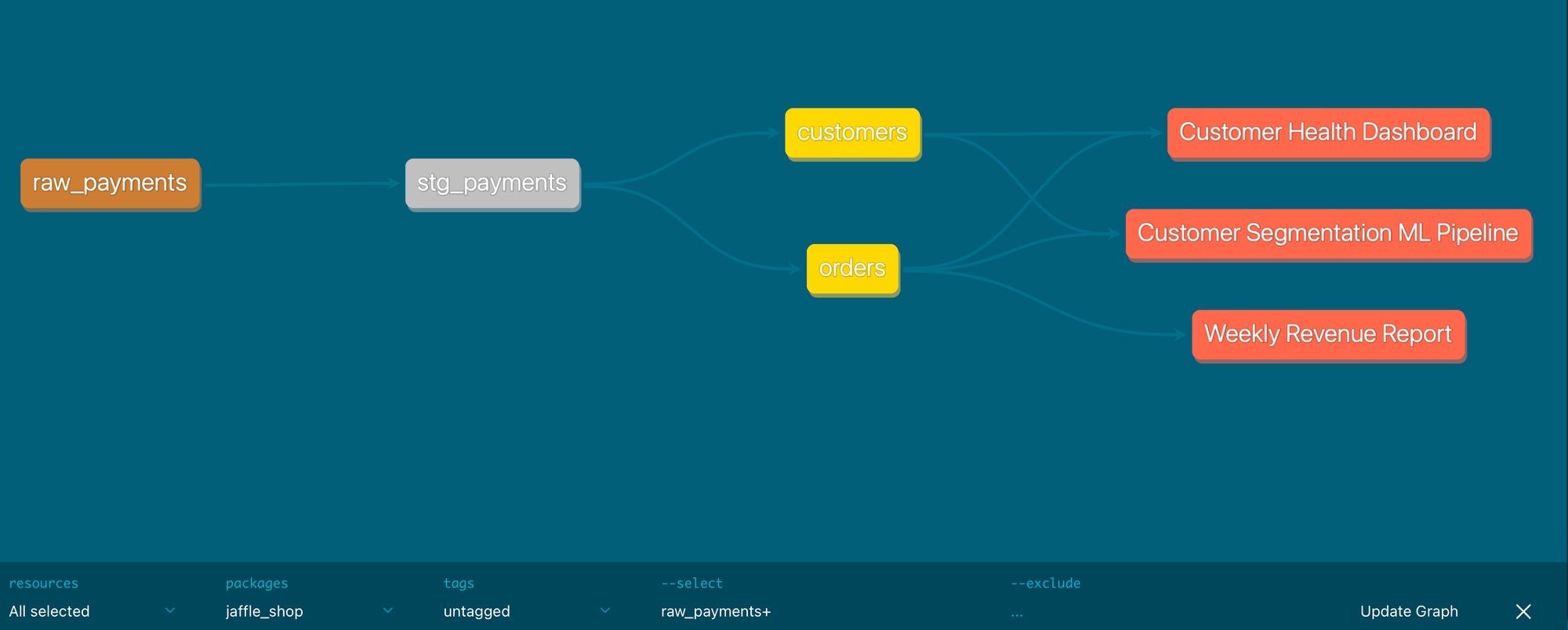
If you prefer the CLI, this is a command that lists all exposures downstream of the raw_payments node:
% dbt ls --select raw_payments+ --resource-type exposure
exposure:jaffle_shop.customer_health_dashboard
exposure:jaffle_shop.customer_segmentation_ml
exposure:jaffle_shop.weekly_revenue_report
When the alert comes from a dashboard
Not every incident starts at the source. Sometimes a business user reports that a KPI in a dashboard looks off, or that a scheduled report has stopped refreshing. In that moment, the first question is usually: what are all the upstream models and sources that could explain this symptom?
If you declare dashboards (and other downstream assets) as exposures, they become a natural entry point for that investigation. Because each exposure lists the dbt nodes it depends on, you can quickly get an initial shortlist of models to inspect first.
For example, to find the nodes declared as dependencies of a given exposure (can also be used in dbt docs):
# List the dependencies of a specific exposure

% dbt ls --select +exposure:jaffle_shop.customer_health_dashboard
From there, you can keep traversing upstream, or combine it with other selectors to narrow your search. The key point is that you can start from “the thing that looks wrong” and move left through the graph, instead of guessing where to begin.
Review workflow: keep consumers involved
When introducing or modifying an exposure file, it's crucial to open the pull request like any other code change and request as a reviewer an owner of the consumer that's described in the exposure file. That way, that person can verify if we understood well how the model is used and that the contact information is correct.
This review step is also the best moment to make the description field truly useful. The consumer can help make it complete by adding the business meaning (what question this dashboard answers), important caveats (filtering rules, known limitations, edge cases), and freshness expectations (how often it should refresh, what “stale” means, and what to do when it is late). Over time, this turns exposures into a lightweight shared contract between producers and consumers.
This can be enforced with GitHub if exposures are defined together in a file for a group of users (a team): set that team as a codeowner on the file and their approval will be required if it’s modified.
Wrap-up
I hope this post has convinced you that exposures can benefit your dbt setup. They help document model usage, catch some mistakes early, and get a complete view of impacted consumers in case of data issues or code changes, all while staying up to date.
If you want a low-effort way to get started, pick one critical dashboard (the one people will notice within minutes if it breaks) and add a single exposure for it.
Link to the dashboard.
Add a real owner (a person or a team).
Write a description that captures the business meaning, caveats, and what “fresh” means.
Once that is in place, you have a reliable starting point for impact analysis, and for investigations that begin from a consumer (“this dashboard looks wrong”).