How we use Claude to write code
Claude is a tool. It helps us think faster and write code faster. But the developer is still in charge. The goal is simple: better code, clear thinking, and full responsibility. This document explains

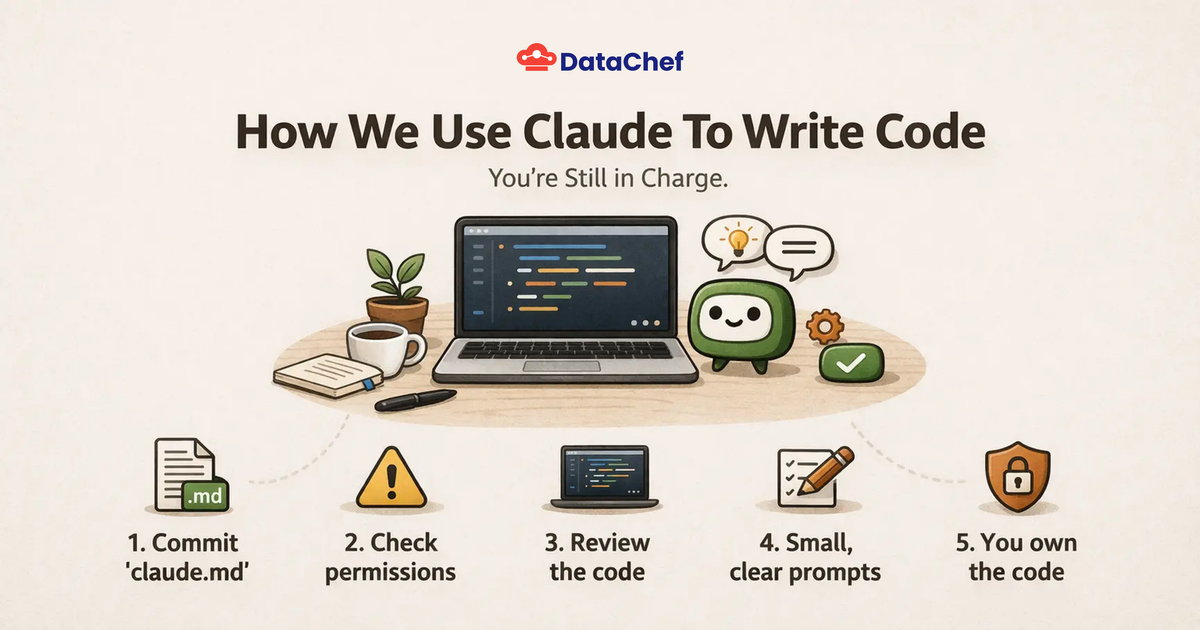
Claude is a tool. It helps us think faster and write code faster. But the developer is still in charge. The goal is simple: better code, clear thinking, and full responsibility.
This document explains how we use Claude at DataChef.
1. Always commit your claude.md
Every project that uses Claude must have a claude.md.
This file explains how Claude should behave in the project.
It should include things like:
- coding style
- architecture rules
- libraries we prefer
- things we never do
- how tests should look
- how commits should look
Why this matters:
Claude works best when it has context. Without context it guesses. With context it becomes consistent.
Your claude.md is the memory of the project.
Commit it to the repository so everyone works with the same rules.
2. Put your important prompts in the pull request
When Claude helps write code, the reviewer should know how that code was created.
If a prompt had a big influence on the result, include it in the pull request description.
This helps reviewers understand:
- the intent of Claude
- the reasoning of Claude
- what Claude was asked to do
It also makes it easier to reproduce or improve the result later.
Transparency builds trust.
3. Teach Claude not to sound like AI
Add a new skill for you CLaude to not sound like AI and avoid these patterns:
https://en.wikipedia.org/wiki/Wikipedia:Signs\_of\_AI\_writing
AI text often looks like:
- overly formal language
- repetitive structures
- too many bullet points
- vague explanations
- generic transitions
We want writing that sounds human and direct.
Short sentences. Clear thinking. No filler.
4. Never use dangerously skip permissions for Production
Do not start Claude with --dangerously-skip-permissions
Always review what Claude wants to do.
Read each prompt and tool request before approving it.
You should always know:
- what files Claude reads
- what files Claude changes
- what commands it runs
5. Claude writes code. You own the code.
Claude can generate code, but you are responsible for it.
Always:
- read the code
- understand the code
- question the code
If you cannot explain a change to another developer, do not merge it.
6. Ask for small steps
Do not ask Claude to build a whole system in one prompt.
Work in small steps.
Example flow:
- ask Claude to design the approach
- review the plan
- implement one part
- review again
- continue
Small steps reduce mistakes.
7. Prefer editing over generating
If a file already exists, ask Claude to improve or refactor it.
Do not ask it to rewrite everything.
Large rewrites often introduce hidden problems.
Good prompts look like:
- "simplify this function"
- "remove duplication"
- "add tests for this logic"
- "explain the edge cases"
8. Always ask for tests
If Claude writes logic, it should also suggest tests.
Tests help verify that the code does what we expect.
Good prompts include:
- "write unit tests for this function"
- "add edge cases"
- "show failure scenarios"
You can add this as part of your CLAUDE.md to make sure you never forget.
9. Ask Claude to explain its reasoning
Before accepting a change, ask Claude questions.
Examples:
- why is this approach better
- what edge cases exist
- what could break
- what are the performance risks
Claude is good at surfacing hidden issues when asked directly.
10. Keep prompts simple and direct
Claude works best with clear instructions.
Bad prompt:
"Can you improve this in a robust scalable architecture that follows best practices?"
Better prompt:
"Reduce complexity in this function. Do not change the behavior."
Clarity produces better results.
11. Use Claude as a thinking partner
Claude is not just for writing code.
It is useful for:
- debugging
- reading unfamiliar code
- designing APIs
- writing migrations
- reviewing pull requests
- explaining errors
Treat it like a second developer who thinks fast.
But remember: you are the final reviewer.
12. Leave the codebase better
Every Claude assisted change should improve the codebase.
Examples:
- clearer naming
- better structure
- fewer lines
- stronger tests
- simpler logic
Speed is helpful. Quality is the goal.
Final rule
Claude is powerful.
But good engineering still comes from:
- careful thinking
- good reviews
- clear communication
- responsibility for the code
Use Claude to move faster.
Do not use it to stop thinking.