Your Product Is Speaking. Your Users Have No Way to Talk Back.

Imagine a user encounters something wrong in your product. A number that doesn't add up. A section that makes no sense in their context. A recommendation that contradicts what they know. What do they do?
Most of the time, nothing. The gap between "this is wrong" and "I've reported it" is just wide enough that most users never cross it. And when they do, the feedback that arrives is stripped of everything that made it useful.
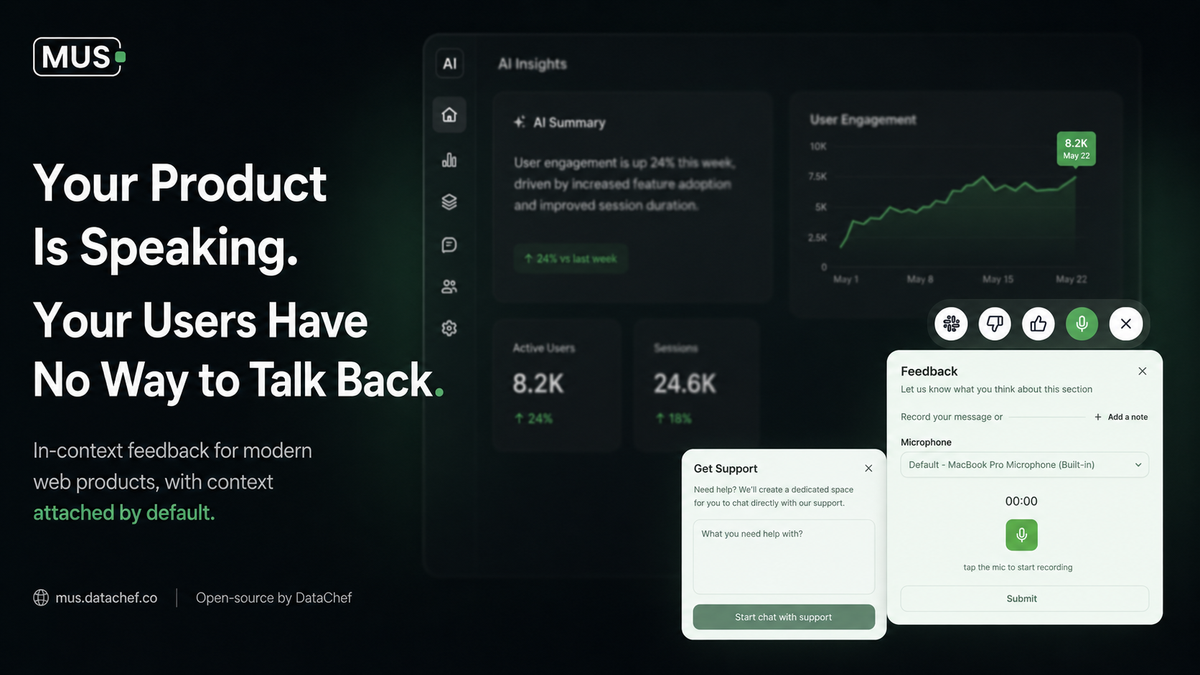
MUS is an open-source product built by DataChef that closes that gap. It puts a feedback toolbar exactly where your users are on the specific section of your product they're looking at, so reacting takes a hover, not a workflow.
The Problem: Feedback Without Context Is Noise
Here's how user feedback usually works in a web product.
A user is looking at a dashboard. A figure looks wrong. Maybe the date range is off. Maybe the calculation doesn't match what they're seeing in another system. Maybe the explanation in that panel has been outdated since last quarter.
What happens next?
They take a screenshot. They paste it into Slack with a message that says something like "this looks off." The message lands in a general channel. Someone sees it later, maybe. They ask for more details. The user explains from memory, without the surrounding context. The thread goes cold.
Or: they open a support ticket. They describe the problem in a form field. The form has no idea which page they were on, which section they were looking at, or what they were trying to do. The ticket arrives with a description and nothing else.
Or: they do nothing. They make a mental note, work around it, and move on. The problem persists.
This is not a failure of user intent. Users notice problems. They just don't report them because the reporting process is more effort than the problem is worth. And the feedback that does get reported is so decontextualized that acting on it is nearly as hard as discovering the problem in the first place.
Product teams end up fixing what they can reproduce, not what users actually encounter. And the gap between those two things is larger than most teams realize.
Why Existing Tools Don't Solve This
The standard responses to this problem all share the same flaw: they move feedback out of context.
A feedback button in the corner is better than nothing. But by the time the user finds it, clicks it, and fills in the form, the specific section they were reacting to is gone from their immediate attention. They describe it in words, imprecisely, and submit. You receive a description of a problem, not the problem itself.
Support tickets and email compound the delay. A problem noticed on Tuesday becomes a ticket on Wednesday, triaged on Thursday, and investigated on Friday by which point the user may not even remember the specifics. Your team spends time reconstructing context that should have arrived with the report.
Session recording tools capture everything, which means they effectively capture nothing useful without significant work to sift through it. They also introduce privacy considerations that rule them out for many internal tools and regulated environments.
NPS surveys and periodic check-ins measure sentiment, not specific issues. You learn that users are frustrated. You don't learn which section of which page is causing the frustration.
The pattern is consistent: all of these tools treat feedback as something that happens around the product, not inside it. They collect reactions after the fact, separated from the moment and the content that produced them.
What Is MUS?
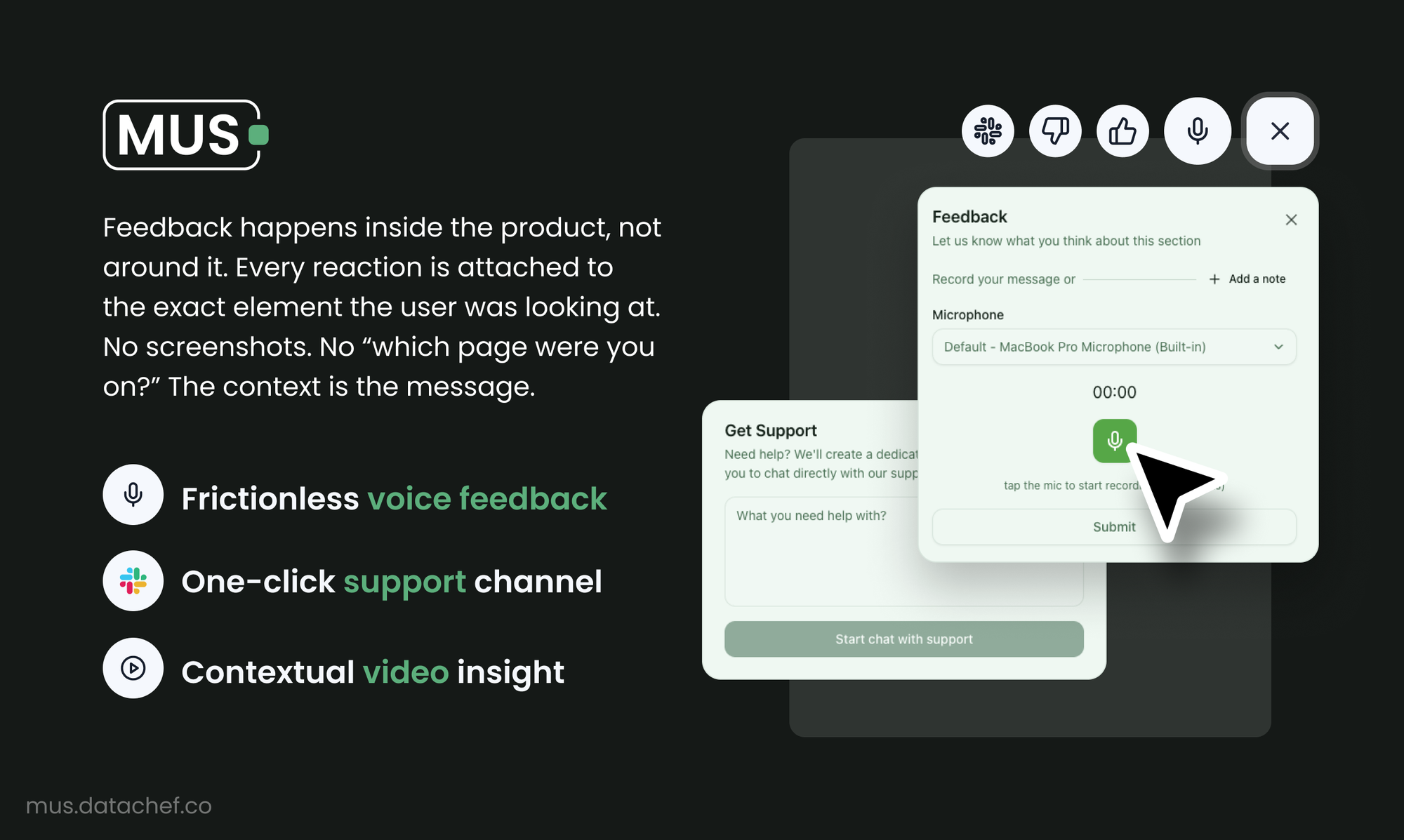
MUS is a feedback layer that lives inside your product, not alongside it.
The core idea: wrap any section of your web app with a single React component called FeedbackTarget. Users hover over that section and a toolbar appears directly on the content, without navigating anywhere else. They react. The feedback lands in your team's channel of choice, attached to that exact section, with the user's identity and context already included.
import { MusProvider, FeedbackTarget } from '@datachef/mus'

<FeedbackTarget sectionId="q3-revenue" sectionName="Q3 Revenue Summary">
  <RevenuePanel />
</FeedbackTarget>
One component. One hover. No forms. No context-switching. No backend to write.
MUS is open source under MIT and fully self-hosted. A lightweight Docker container (mus-server) handles audio processing and message delivery. There is no SaaS dependency, your data stays in your infrastructure.
How MUS Works
1. Users React Where It Happens
When a user hovers over a FeedbackTarget section, a toolbar appears directly on top of it. The action happens at the point of friction, not after the user has navigated away from it.
The toolbar offers four actions:
| Action | What It Does |
|---|---|
| 👍 / 👎 Thumbs | Instant signal, zero friction. Fire and forget. |
| 🎤 Voice | Records up to 60 seconds of audio, converted to MP3 and posted to your feedback channel with the section name attached. |
| 💬 Support | Opens a dedicated thread between the user and your team (Slack, Discord, or Teams) with full context already attached. |
| ▶ | Plays an explainer video your team has attached to th at section. Context that lives in the product, always available. |
Here is what this looks like in practice:
A user is reviewing the Q3 revenue panel in a financial dashboard. A figure doesn't match what they're seeing in the ERP system. They hover and click 🎤.
"The Q3 revenue number here doesn't reconcile with what SAP is showing. We had a late adjustment on the 28th that might not be reflected. Can someone look at this?"
The team's Slack channel receives: Voice feedback on Q3 Revenue Summary from Marcus Riel , [60s clip, posted immediately].
The team knows which section, which user, and exactly what was said. No back-and-forth to establish context.
2. Context Is Automatic
Every submission carries the metadata that makes it actionable: section ID, section name, timestamp, and the user's identity. MUS resolves user identity automatically from your existing auth system via pluggable resolvers, Stytch, Clerk, Auth0, NextAuth, or your own implementation.
Your team never has to ask "which page were you on?" That question doesn't exist when feedback arrives with the answer already attached.
3. Feedback Goes Where Your Team Already Is
MUS routes feedback to wherever your team works. Configure it once and it applies across your entire product.
- Slack: threaded messages per submission, voice clips attached
- Discord: same structure, different destination
- Microsoft Teams: for enterprise environments
- Webhooks: route to Linear, Jira, your data warehouse, or any HTTP endpoint
Custom adapters are a few lines of code. If a destination matters to your team, MUS can reach it.
4. Your Team Can Add Context That Stays
The video action works in the opposite direction: instead of waiting for users to flag problems, your team can attach explanatory videos to specific sections proactively.
A panel with a non-obvious calculation gets a short clip explaining how the number is derived. A section that requires business context gets a video that provides it. That context lives in the product, attached to the section it explains, and is available every time any user encounters it.
It is not an onboarding tour. It is persistent, section-level documentation that users access exactly when they need it.
What Your Teams Get
Actionable feedback by default: Every signal arrives with section, user, and content. No triage. No "can you send a screenshot?" The information needed to act is already there.
Signal proportional to the issue: Voice for nuanced problems. Thumbs for quick reactions. Support threads for issues that need a conversation. Users choose the right channel naturally, which means the feedback you receive matches the complexity of the problem.
Faster issue resolution: Problems surface in minutes instead of weeks. The gap between a user noticing something and your team knowing about it compresses to near zero.
Reduced support overhead: Proactive video context answers questions before they become tickets. Users get the explanation they need without waiting for a response from your team.
No new infrastructure: mus-server is a pre-built Docker image. Drop it in as a sidecar alongside your existing app. Configure your Slack token. Done.
Who Is MUS For?
MUS works for any web product where users interpret output and teams need to know when something isn't working.
| Scenario | How MUS Helps |
|---|---|
| Internal dashboards and reporting tools | Users flag stale data, calculation errors, or confusing metrics without leaving the tool. Voice notes arrive with full con text. |
| Data products and analytics platforms | Teams learn which panels generate the most confusion, with the speci fic feedback attached to understand why. |
| Operations and workflow tools | Users report incorrect values or process issues directly on the section where they encountered them. |
| Complex onboarding flows | Explainer videos attached t o confusing steps reduce support load without requiring users to seek out documentation. |
| Regulated environments | Contextual feedback creates an audit trail: who flagged what, on which section, and when. |
| Customer-facing web apps | Support requests arrive with full context: the exact section, the exact user, what they said or recorded. |
Conclusion
Users notice problems in your product. Most of those problems go unreported because the path from "this looks wrong" to "I've told someone" is too long.
MUS shortens that path to a hover. The feedback mechanism lives where the content lives. Users react in the moment, with no context lost in translation. Your team receives signals they can actually act on.
That's in-context feedback. And most products don't have it yet.
Interested in MUS or want to add it to your stack? Check out the GitHub repository, explore the documentation, or reach out at datachef.co/contact.
#product-feedback #developer-tools #react #open-source #ux