Agent/Non-Agent based monitoring & Distributed tracing
Introduction When monitoring applications and infrastructure, businesses usually choose between agent-based and non-agent based monitoring solutions. Some tools, such as Datadog or Splunk, can use agent-based approaches, while both also support non-a...

Introduction
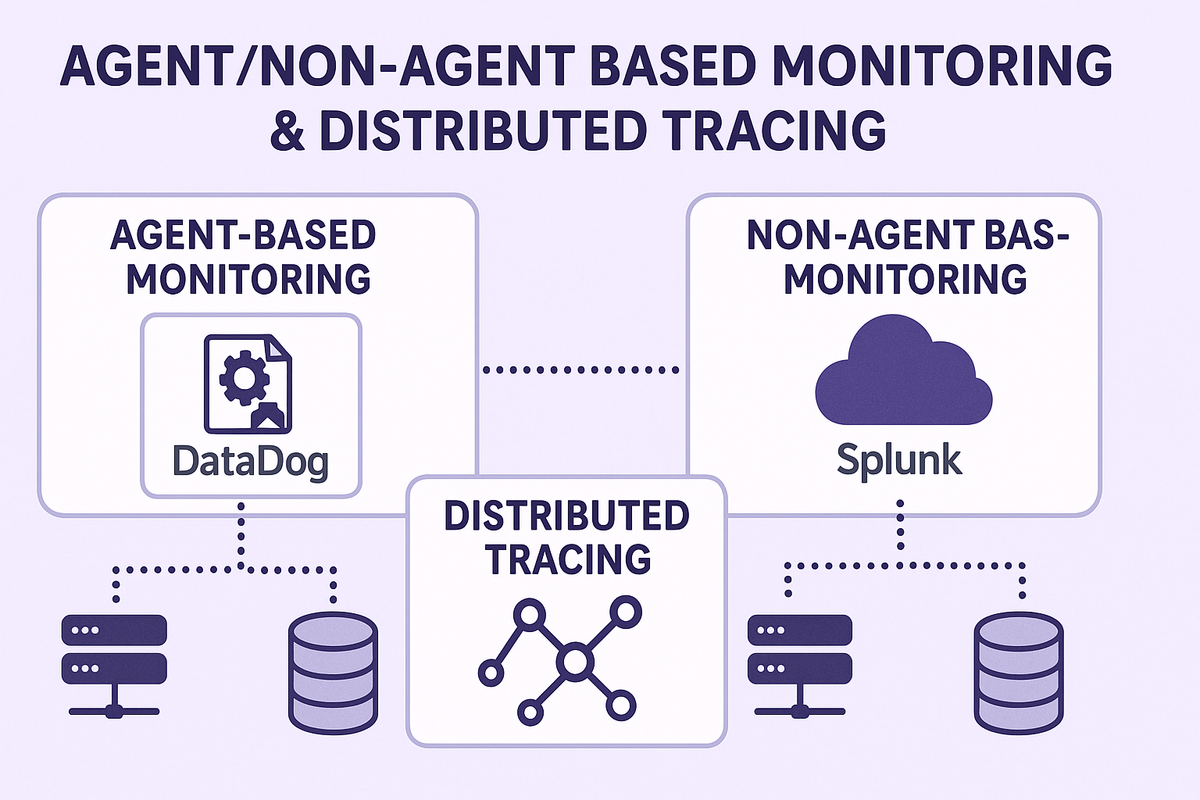
When monitoring applications and infrastructure, businesses usually choose between agent-based and non-agent based monitoring solutions. Some tools, such as Datadog or Splunk, can use agent-based approaches, while both also support non-agent methods. In this article, we’ll use Datadog as an example of agent-based monitoring and Splunk as an example of non-agent-based monitoring, to show the differences in practice. Each approach has its strengths and challenges, depending on needs, environments, and monitoring goals.
💡Disclaimer: Both Datadog and Splunk support agent-based and non-agent-based monitoring approaches. The examples in this article use Datadog primarily to illustrate agent-based monitoring and Splunk to illustrate non-agent-based monitoring. This is for clarity in comparing the concepts, not to suggest that one tool is limited to only one method.
Agent-Based Monitoring
Agent-based monitoring means installing a small program (an agent) on each server or host that you want to monitor.
How it works
An agent runs continuously on the host machine.
It collects metrics like CPU, memory, disk usage, application logs, and more.
Data is sent to a central server (like DataDog's cloud) for analysis.
from datadog import initialize, statsd

# Initialize (if sending directly to local agent, defaults are ok)
options = {"statsd_host":"localhost", "statsd_port":8125}
initialize(**options)

# Send a gauge metric (e.g., app.queue.size=5)
statsd.gauge("app.queue.size", 5)
Pros
- Rich Data Collection: Agents can collect detailed performance metrics and logs directly from the machine or container.
- Real-Time Monitoring: Since agents run locally, they can send data almost instantly.
- Custom Checks: You can configure agents to do extra checks, like custom scripts.
- Easy Auto-Discovery: Agents can sometimes auto-detect services and start monitoring them automatically.
Cons
- Deploy and Maintain: Every machine or container needs an agent installed and kept up to date.
- Resource Usage: Agents use a bit of the host’s CPU and memory, though this is usually small.
- Compatibility: Some environments (like highly restricted or legacy systems) may not allow agent installation.
Non-Agent Based Monitoring
Non-agent based monitoring collects data without installing anything on the host. A central system pulls in data, often by receiving logs or metrics through APIs, syslog, or other protocols.
How it works
Systems send their log files, events, or performance data to a central collector (like Splunk).
No agents run on the host; configuration often happens on log shippers or using built-in system protocols.
import requests
import json

splunk_url = "<https://splunk-server:8088/services/collector>"
headers = {
    "Authorization": "Splunk YOUR_HEC_TOKEN"
}
data = {
    "event": "metric",  # event type
    "fields": {
        "metric_name:app.queue.size": 5
    }
}

# Send the data to Splunk
requests.post(splunk_url, headers=headers, data=json.dumps(data), verify=False)
Pros
- No Agent Management: Nothing to install or update on the monitored systems.
- Good for Legacy/Restricted Systems: Useful where you cannot install extra software.
- Centralized Control: All settings and updates occur on the collector’s side.
Cons
- Limited Data: Sometimes, only basic metrics or logs are available unless the system supports rich exports.
- Slower or Batch Updates: Data may arrive in batches, so insights may lag behind real-time.
- Harder Customization: Custom health checks or metrics are harder to set up.
Distributed Tracing
What is distributed tracing?
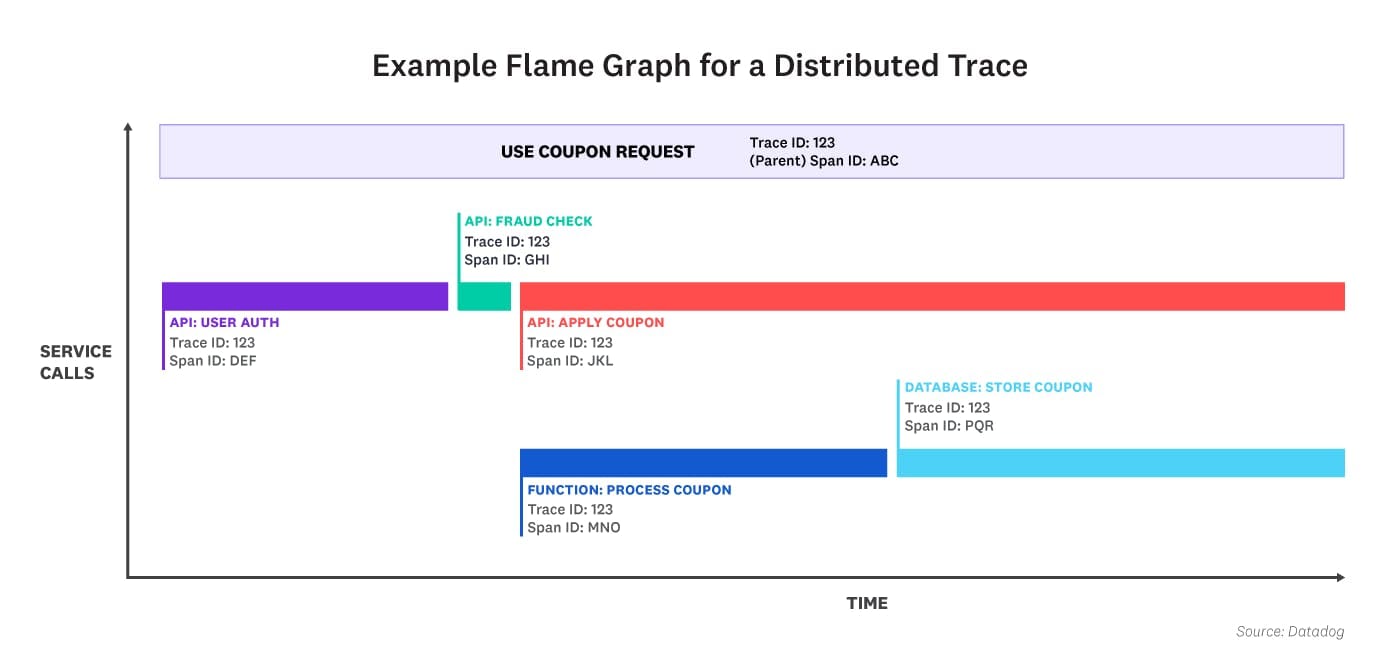
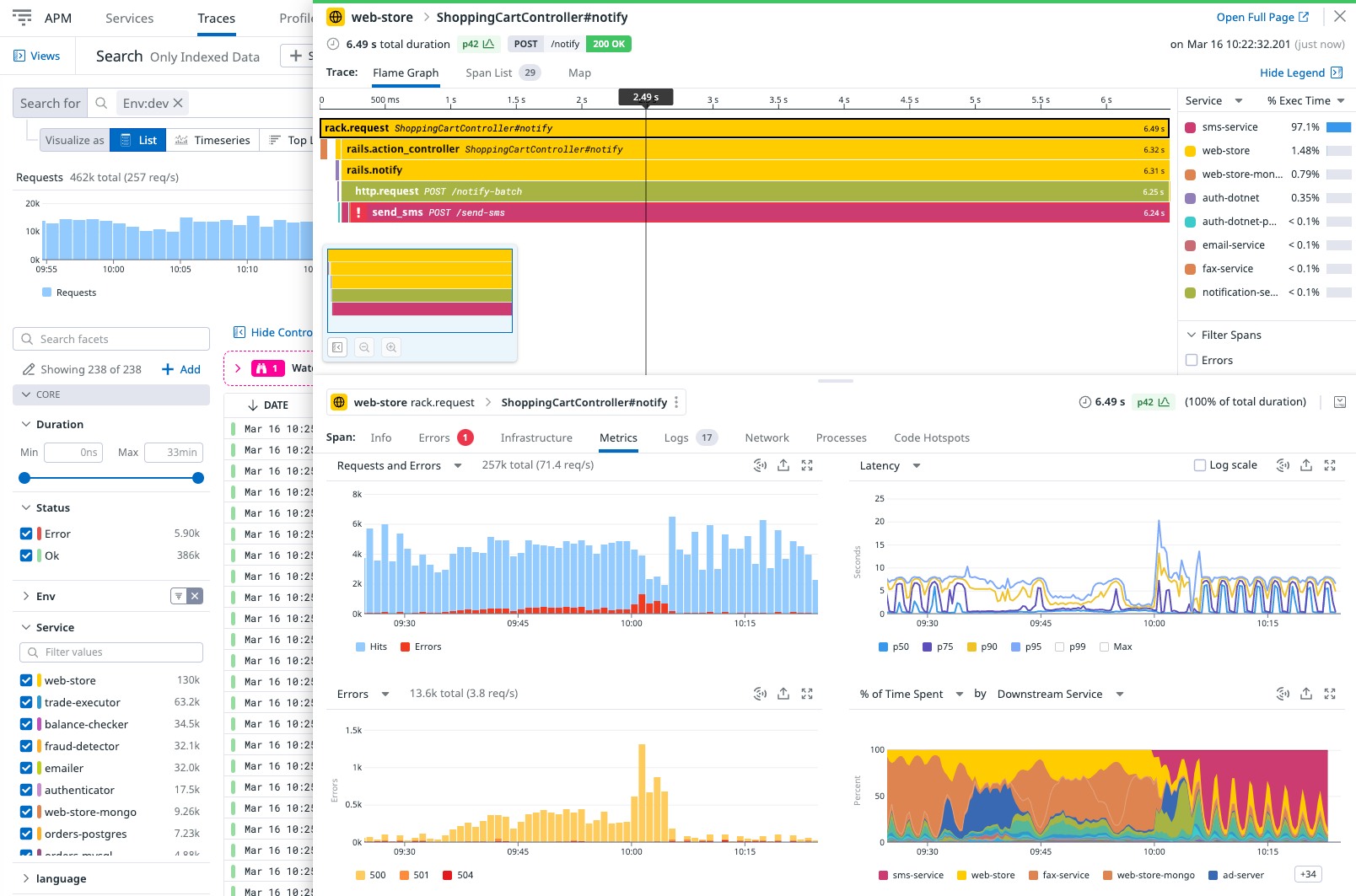
Distributed tracing helps developers follow the journey of a user or API request as it moves through different services in a system. Each step the request takes is called a “span.” Each span gets a span ID (unique identifier).
Where is it used?
- Microservices: When applications have many small services talking to each other.
- Serverless and Cloud-Native Apps: Where requests touch multiple services.
- Debugging Performance Issues: To find bottlenecks in big, complex systems.
How is it used?
When a request starts, a trace ID and a span ID are created.
As the request travels, new spans and IDs are made for each new service or step.
All the spans are grouped together under the single trace ID.
This lets you see the entire path—the trace—of a request, how long each step takes, and where failures happen.
Span ID
Every operation in the trace has its own span ID.
The span ID helps to track and organize all steps within a single trace.
By analyzing span IDs, you can see how long each segment took and how services relate to each other.
When to use each monitoring solution
- Visualization: DataDog has easy-to-use dashboards to view full traces and performance of each span.
- Friendly for Developers: Many programming languages and frameworks are supported with minimal manual work.
- Built-In Agent Support: DataDog’s agent natively collects distributed traces together with logs and metrics. This makes setup simpler and deeper.
- Real-Time Tracing: The agent sends tracing data in real time, which helps with quick debugging.
- Automatic Context Linking: Traces, logs, and metrics are tied together, making it easier to investigate issues.
More Control: If you want to have more control over OpenTelemetry abstraction, Splunk can be a better option. Although the OpenTelemetry library is still under development.
✅Whether agent-based or non-agent-based monitoring is a better fit depends on your environment, security requirements, and operational trade-offs.
By contrast, while Splunk can handle traces through external plugins or integrations, it often requires more manual setup and may not offer real-time or tightly integrated tracing experiences out-of-the-box.
Simple Python example of how distributed tracing can be done in DataDog:
from ddtrace import tracer, patch_all

patch_all()

@tracer.wrap()
def say_hello():
    print("Hello from DataDog tracing!")

if __name__ == "__main__":
    say_hello()
Same example with Splunk:
from opentelemetry import trace
from opentelemetry.sdk.trace import TracerProvider
from opentelemetry.sdk.trace.export import BatchSpanProcessor
from opentelemetry.exporter.otlp.proto.http.trace_exporter import OTLPSpanExporter

otlp_exporter = OTLPSpanExporter(endpoint="<https://ingest.us1.signalfx.com/v2/trace>", headers={
    "X-SF-TOKEN": "your-splunk-access-token"
})

trace.set_tracer_provider(TracerProvider())
span_processor = BatchSpanProcessor(otlp_exporter)
trace.get_tracer_provider().add_span_processor(span_processor)

tracer = trace.get_tracer(__name__)

with tracer.start_as_current_span("splunk-example-span"):
    print("Hello from Splunk tracing!")
Conclusion
Both Datadog and Splunk offer agent-based and agentless options. The choice is less about the tool and more about your monitoring strategy: agent-based for richer, real-time detail, and non-agent for environments where agents aren’t possible.
For distributed tracing, Datadog offers strong out-of-the-box support, while Splunk emphasizes flexibility and standards like OpenTelemetry.